Two radios, one job.
One listens for your car. The other talks to your building’s door. Each does one thing well.
Your car can’t learn your building’s BEA remote. Pontaly can, so the garage door button in your car opens the door.

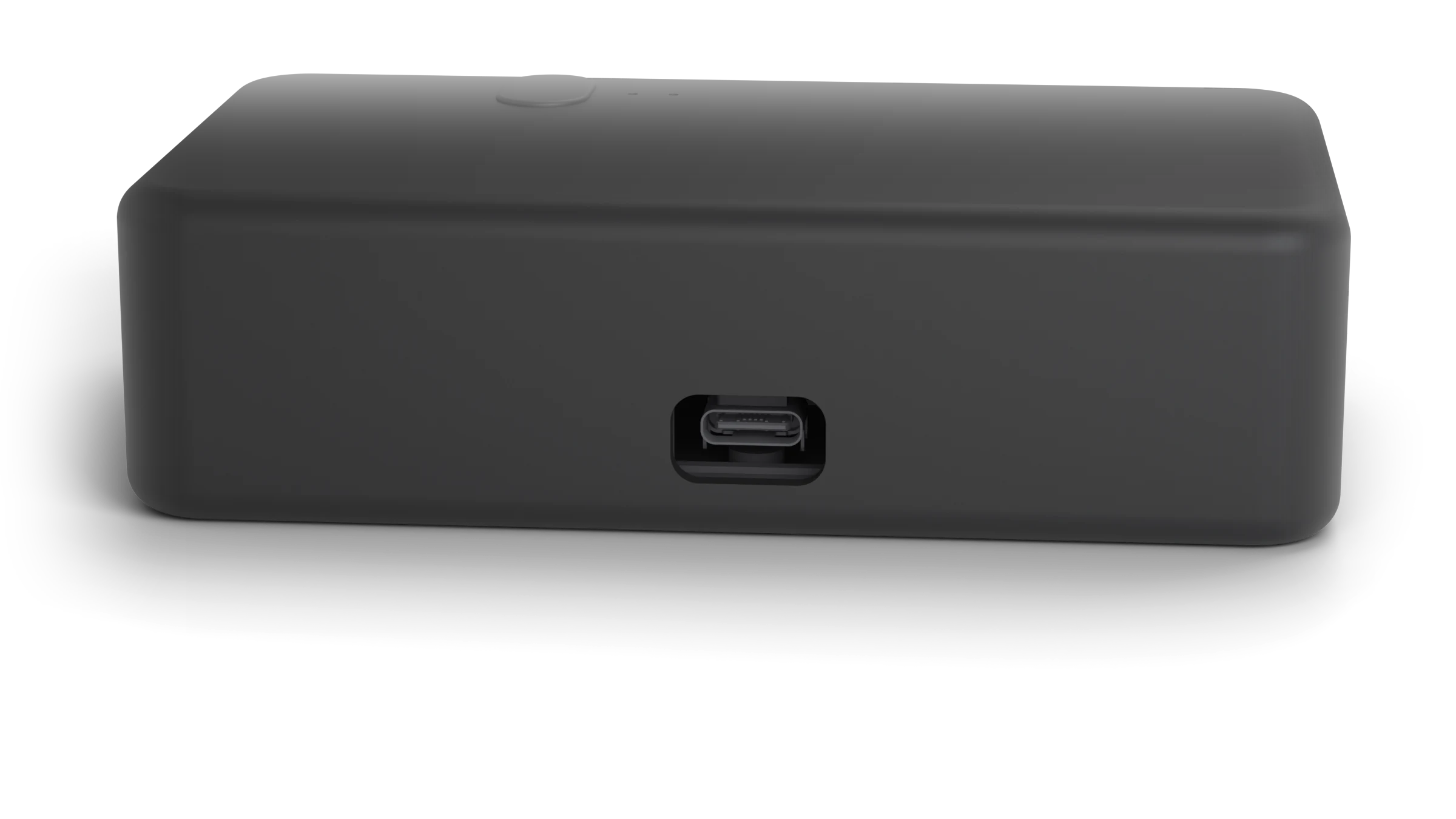
108 × 63 × 30 mm. About the size of a deck of cards, laid flat.
Your building gave you a remote. Your car already has the button. Pontaly is the bridge between them, so the remote can stay in a drawer and you just drive in.
You tried to program your car’s garage door button, and it never worked. If your remote says BEA on the back, that’s why. It uses a radio signal your car can’t hear.
Pontaly is made for exactly this. It copies your BEA remote and learns your car’s button, so pressing that button opens the door.
Read the BEA remote guideThe back of a BEA remote, the kind many apartment and condo garages hand out.
Hold the top of Pontaly’s button, then press your BEA remote a few times. Pontaly copies it in under a minute, right at your desk. No remote to copy? Your building can add Pontaly like a new remote instead.
In the car, hold the bottom half of Pontaly’s button, then program your car’s garage door button the way you would for a new remote. Have more than one door? Give each its own button, for up to 10 doors.
Leave Pontaly in the console or glovebox. When you get home, press your car’s garage door button. The door opens, and Pontaly’s light glows to say so.
A soft silicone skin over a rigid core. Small enough to tuck into a console or glovebox.

Silicone skinSoft, matte, quiet in a console
Rigid coreSnap-together, no screws
Two radiosOne for your car, one for your door
Two antennasFor exceptional reception and transmission
One listens for your car. The other talks to your building’s door. Each does one thing well.
What Pontaly learns stays on Pontaly. Nothing goes online.
Plug Pontaly into a computer and open Manage Pontaly in Chrome or Edge. New software is found the moment you connect, and installs in seconds.
One USB‑C cable to the port in your console or glovebox. Pontaly wakes with the car and asks for nothing else.
Preliminary. Pontaly is still in FCC certification, and details may change before it ships.
More answers in Help.
It lets the garage door button built into your car open your building’s garage or gate when the building uses a BEA remote. Your car can’t learn a BEA remote on its own. Pontaly copies the remote, learns your car’s button, and opens the door when you press it.
BEA remotes use a 900 MHz radio signal, and the garage door buttons in cars can’t hear it. No matter how many times you try, the car won’t learn it.
Yes. Pontaly is made for BEA remotes like the one above, whether yours has one button or four. It opens only what your remote opens.
Yes, up to 10, each from its own garage door button in your car. Copy each door’s remote into Pontaly, or ask your building to add Pontaly like a new remote.
Pontaly works only with BEA remotes for now.
Built-in garage door buttons (often called HomeLink), usually on the visor, mirror or ceiling, and a USB port to power Pontaly.
No. Pontaly lives in your car and works just like the remote your building gave you.
No. You set Pontaly up once on a computer, in Chrome or Edge, with a USB cable.
Pontaly is going through FCC certification. Orders open as soon as it’s approved.
Orders open as soon as Pontaly is approved by the FCC. Already have one? Setup takes about three minutes.
Set up your PontalyPontaly ships within days, to addresses in the US. Already have one? Setup takes about three minutes.